
Send and receive crypto with ease.
Hold naira and crypto together, swap coins and withdraw to your Nigerian bank account, all from one app.
Receive Bitcoin, Ethereum, USDT and more.
Check a rate
Type an amount in naira or crypto.
 BTC
Getting today's rates…
Indicative market rates. The rate you get in the app is shown before you confirm.
Everything you do with money, in one place.
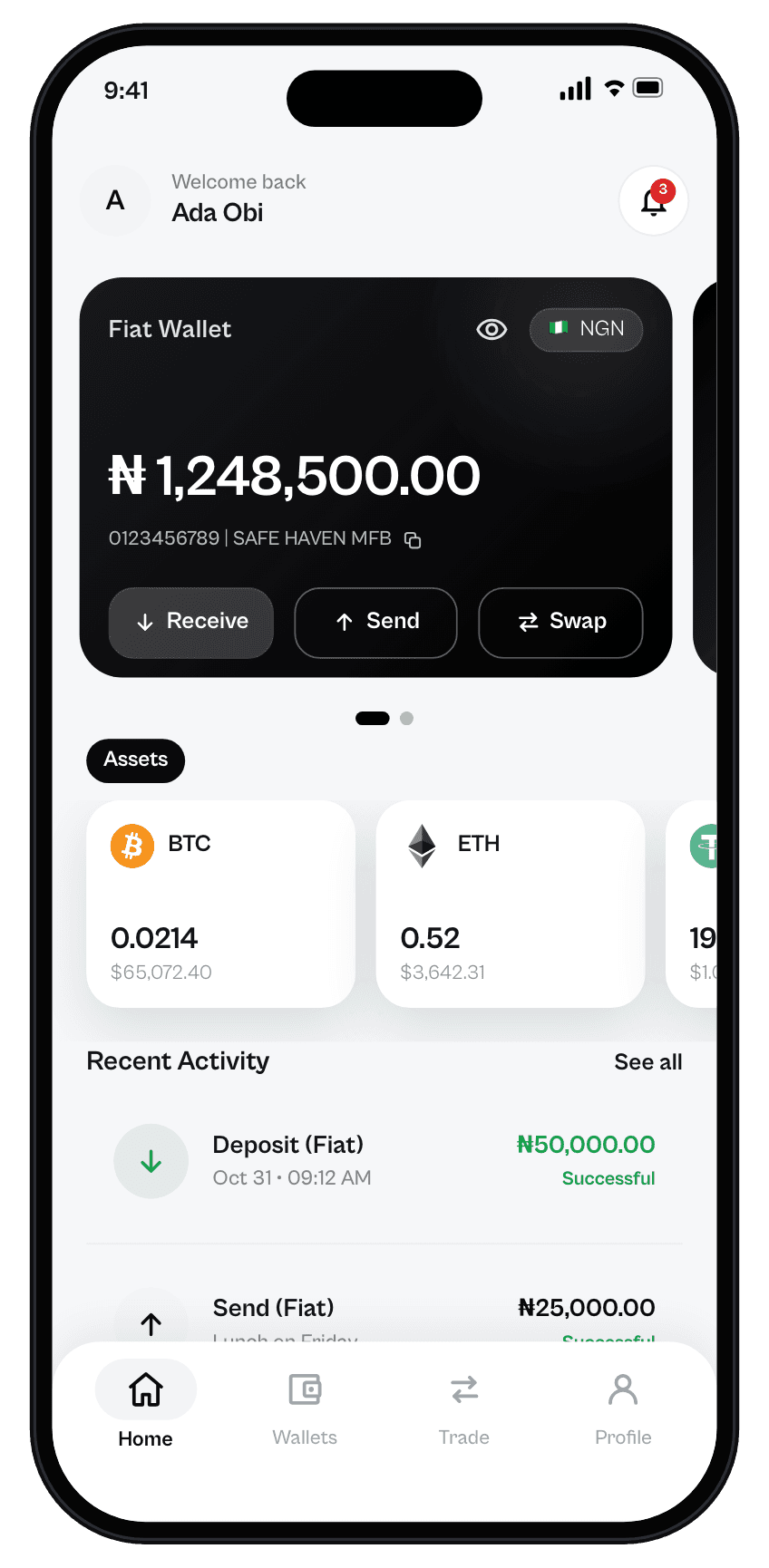
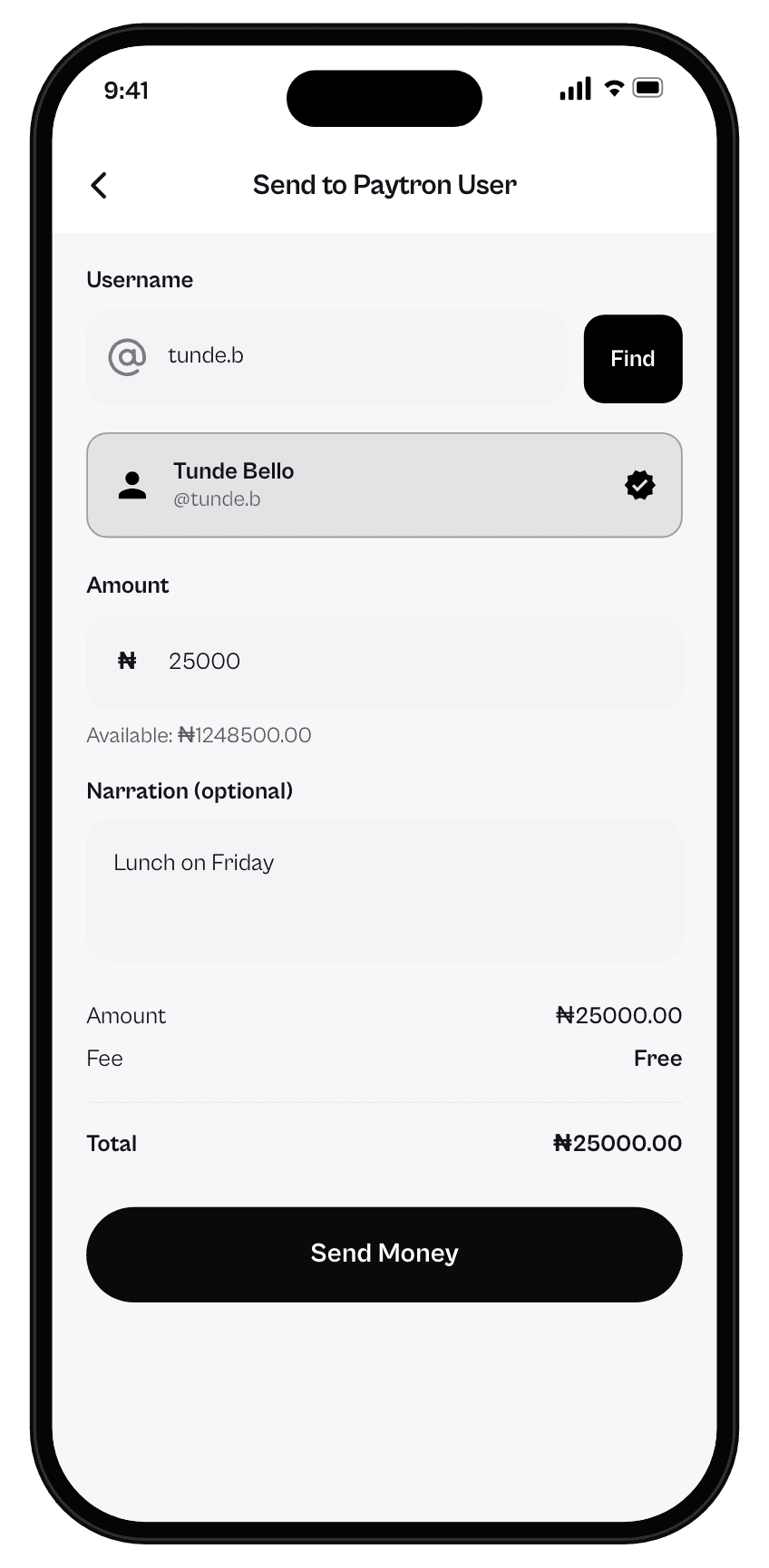
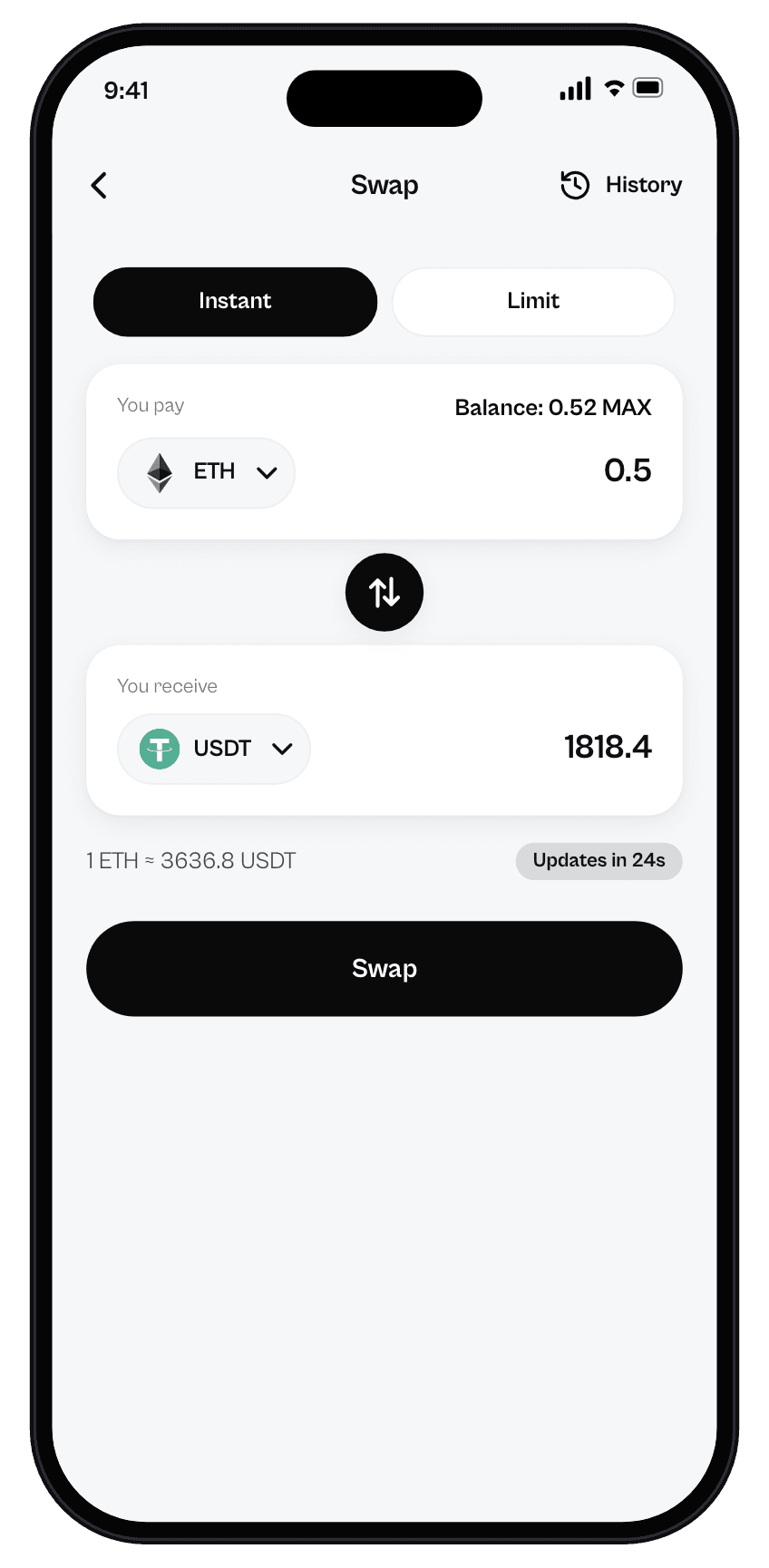
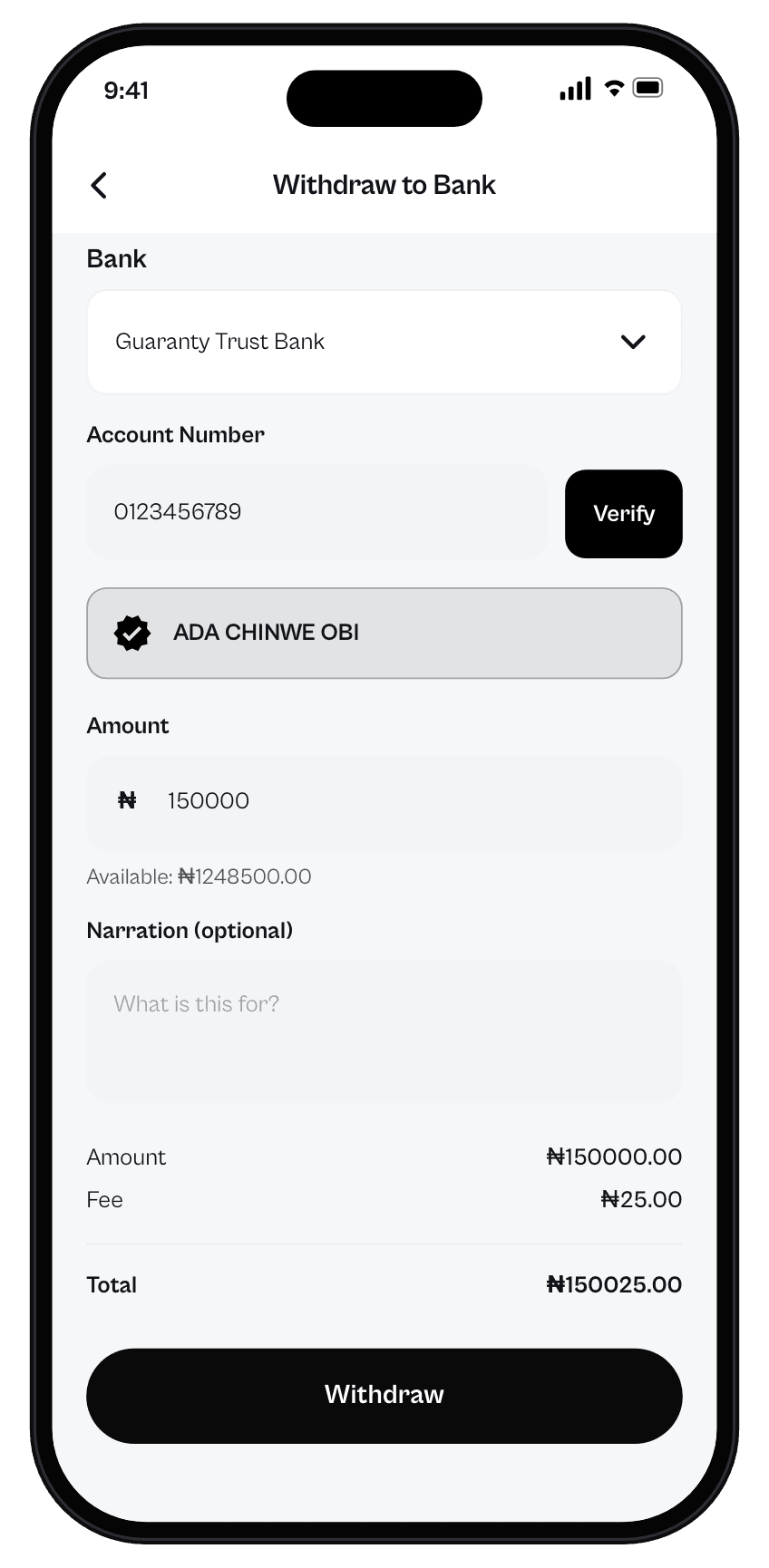
See all your money at a glance
Your Naira wallet and crypto portfolio sit side by side, with your assets and recent activity right below.
Send naira to anyone on Paytron
Find a person by username, check the amount, fee and total, then send. No account numbers to copy.
Swap coins at live rates
Get a clear quote first. Swap instantly, or set a limit order that completes when your price is reached.
Cash out to your bank
Pick your bank, verify the account name, and withdraw naira in a few taps. You see the fee before you confirm.
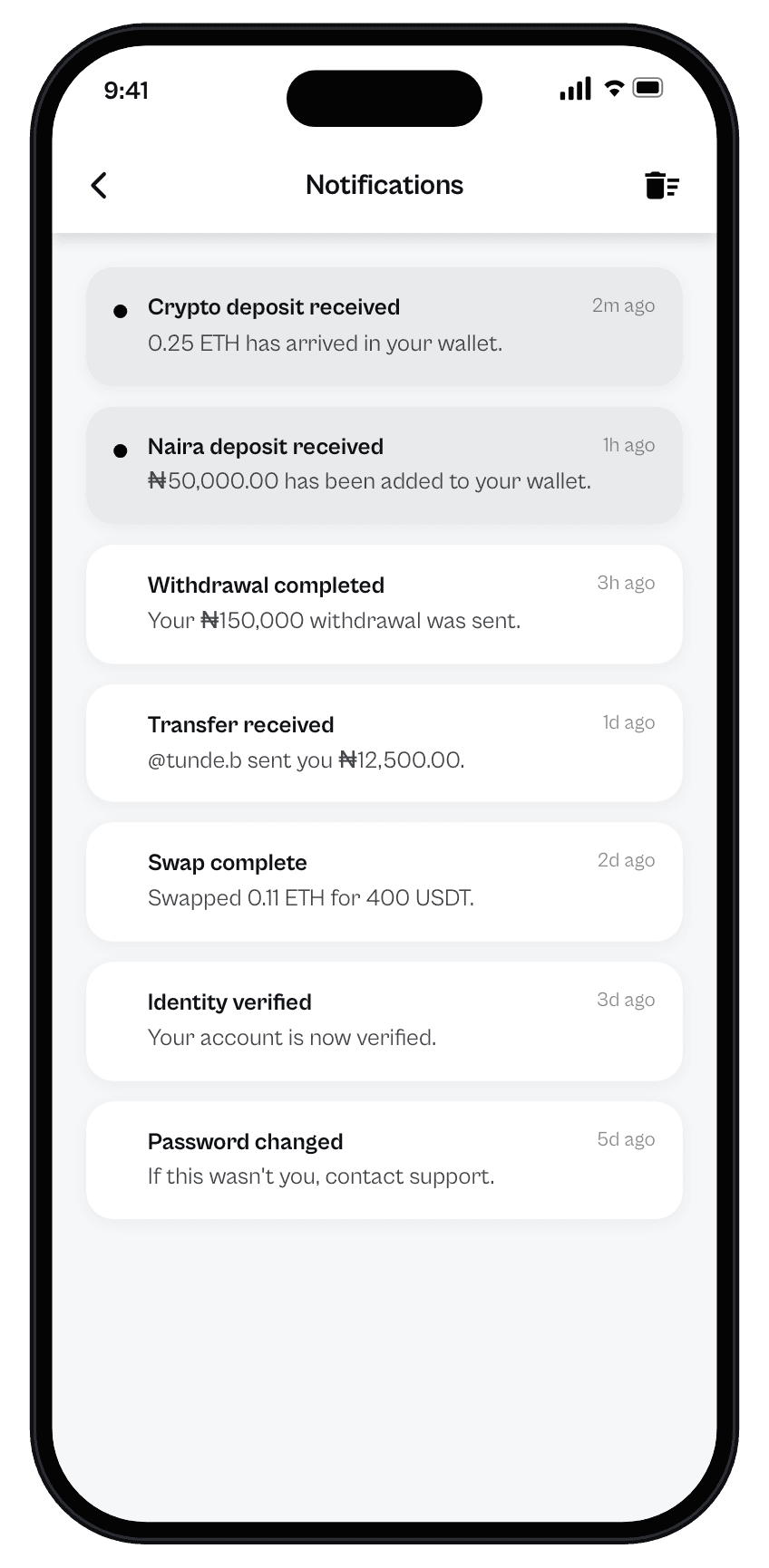
Know when money moves
Push notifications tell you when deposits arrive, transfers land and withdrawals complete. Turn them on or off any time.
Hold the coins you actually use.
Receive crypto straight into your wallet on supported networks, then keep it, swap it or sell it for naira. Supported assets and networks can change over time.
- Bitcoin
 Ethereum
 Tether
 USD Coin
 BNB
 Solana
 XRP
 TRON
 Litecoin
 Dogecoin
 Toncoin
 Cardano
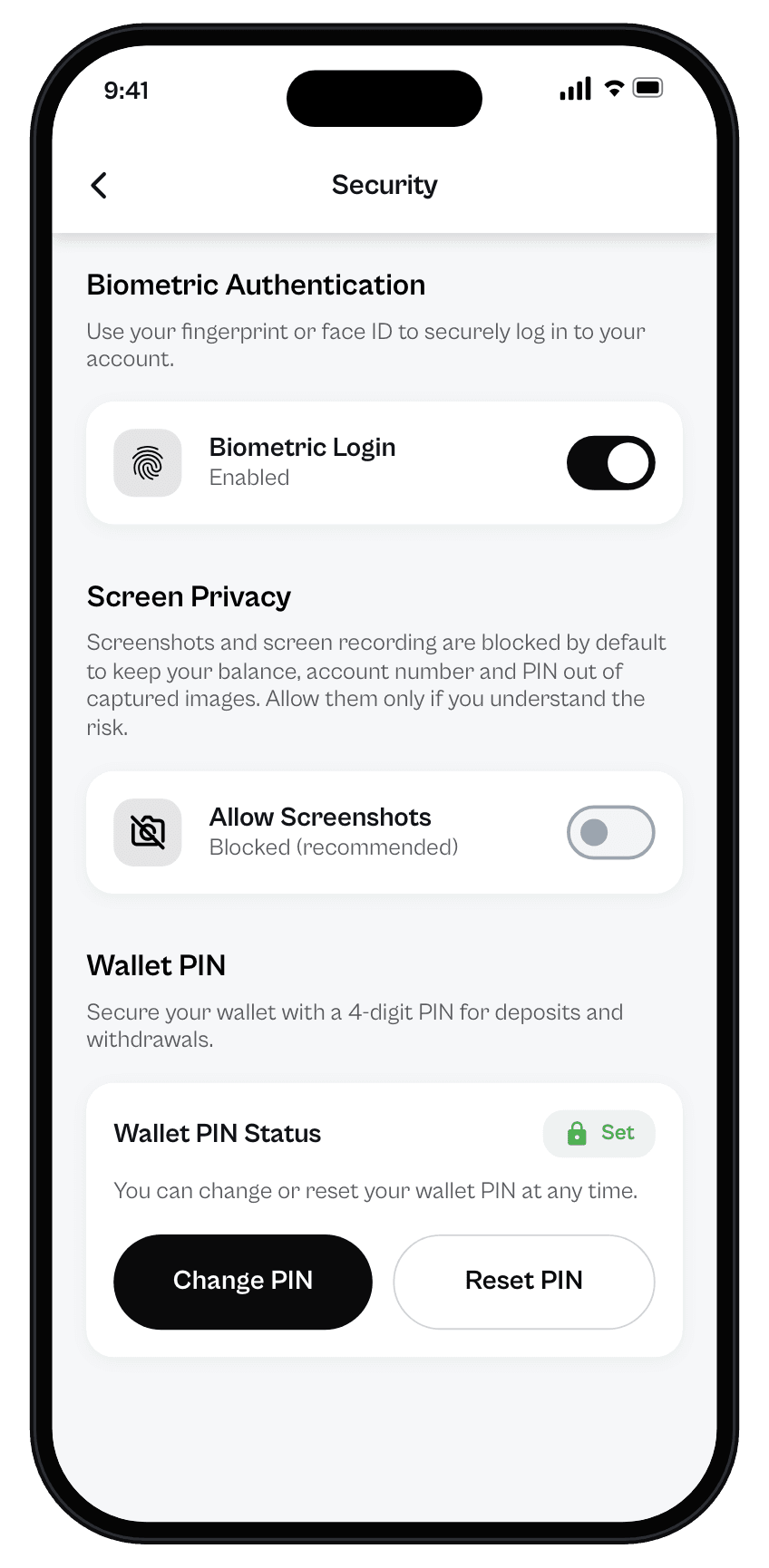
Security you can see and control.
- Biometric login
- Sign in with Face ID, Touch ID or your device biometrics.
- Wallet PIN
- A 4-digit PIN protects deposits and withdrawals. Change or reset it whenever you need to.
- Private screens
- Screenshots and screen recording are blocked by default, so your balance and account number stay out of captured images.
- Device checks
- Paytron checks whether a phone has been rooted or jailbroken and turns off transfers on devices that fail the check.
More ways to use your balance.
- Pay bills and top up
- Pay utility bills and buy airtime or data from your balance.
- Sell gift cards
- Exchange gift cards from popular brands for a naira payout.
- Buy and sell crypto
- Use the Trade tab to buy crypto with naira or sell it back, at the rate shown before you confirm.
Questions, answered.
How do I get started?
Download the app, create an account and verify your identity in the app to unlock your account.
How do I add naira to my wallet?
Your Naira wallet has its own account number. Transfer to it from any bank app and the balance appears in Paytron.
Can I withdraw to any Nigerian bank?
Choose your bank, enter your account number and Paytron shows the account name for you to check before you confirm.
Will I see fees before I confirm?
Yes. Transfers and withdrawals show the amount, fee and total before you confirm, and swaps show a quote first.
How do I delete my account?
In the app, go to Profile and choose Delete Account. You can also request deletion from the website.
How do I contact support?
In the app, go to Profile and choose Contact Support, or email support@paytron.ng.